- calendar_today August 26, 2025
The official release of Android 16 by Google starts after months of speculation and developer previews and limited beta testing. The update initially reaches Pixel devices then spreads to other Android phones in forthcoming weeks or probably months.
Pixel device owners can expect to receive the over-the-air update today. Google provides system images and manual update files on its developer site for people who prefer not to wait. You don’t need to act quickly unless you have a strong desire to do so. The update does not introduce major changes initially.
Android 16 quietly arrives with several notable new features and hints at more significant updates for later this year.
Notification Shade, Live Updates, and Security Enhancements
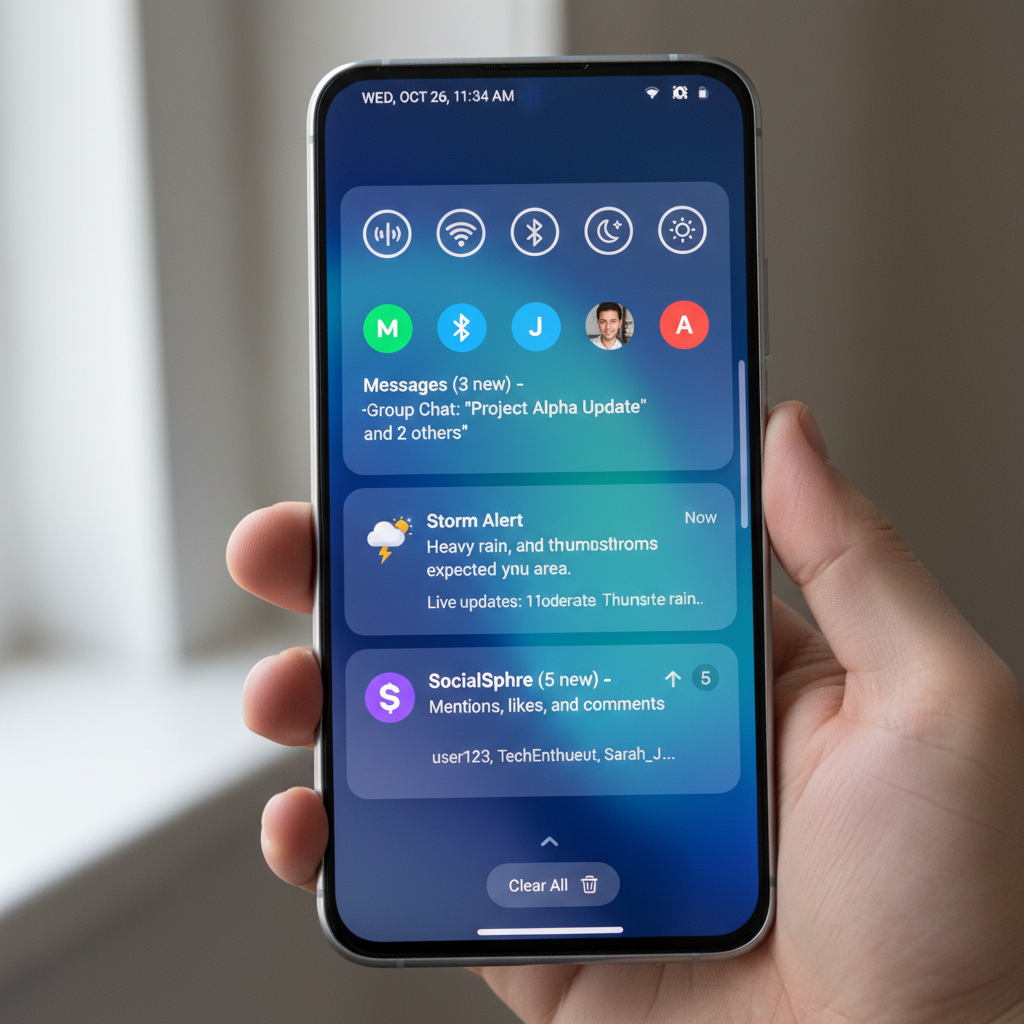
The notification shade shows one of the major changes in the update. Android 7.0 Nougat was the first version of Android where Google launched bundled notifications. Android 16 requires all notifications to be bundled together. The same app’s multiple notifications will now consolidate into a single expandable card to reduce screen clutter. The update might be understated but it definitely adds value.
Another addition is live update notifications. The latest feature begins with some rideshare and delivery services which lets users see real-time status updates using small icons in their status bar. Users can open a compact window with a live progress bar by tapping these notifications. Google reveals its collaboration with Samsung and OnePlus to incorporate this feature into their Now Bar and Live Alerts systems.
Security also gets a boost. The Advanced Protection feature is now available across all devices operating with Android 16. After activation your phone loses connectivity to legacy 2G networks but gains protection against non-secure websites along with USB data transfer restrictions. User privacy together with device safety represents a growing priority for Google.
The new generative AI-powered emoji feature provides a range of customization options for users who enjoy personalizing their digital experience. The Emoji Kitchen feature in the Pixel Studio app provides users with tools to build their own emojis. This feature shows Google’s developing fascination with generative AI experiences through its playful design.
Android 16 delivers substantial backend changes for developers. One key improvement is automatic large-screen support. Applications developed for Android 16 (API level 36) will adapt automatically to occupy foldables and tablets screens more effectively. Applications will appear more attractive on big screens when developers consider these devices when building apps.
System updates now include baked-in improvements for camera performance. Android 16 includes new functionalities such as hybrid auto-exposure technology and motion photo capability along with night mode detection. Users can now take HDR screenshots but the level of application support will differ. Google continues to strengthen its regulations on background applications which might impact certain apps but will deliver better battery performance across devices.
Pixel Drop Features: VIPs and More
Google announced the launch of a new Pixel Drop as part of its Android 16 rollout. This release for Pixel users lacks numerous new features but presents several exclusive additions. The main feature introduced with Pixel Drop is a tool called Pixel VIPs. This feature builds upon the previous favorite contacts functionality. The new dedicated widget displays recent WhatsApp and Messages communications from VIP contacts and includes shared location data and birthdays. The new Pixel Drop update allows VIP contacts to reach users even when Do Not Disturb mode is activated.
The magnifier app now offers live search features alongside increased hearing aid support. Expressive Captions which were once exclusive to the U.S., now extend their availability to users in the UK, Canada and Australia.
Pixel phones exclusively support these functionalities which need Android 16 to operate.
Android 16 will not introduce all its features at the initial launch. Google plans to release its most anticipated updates toward the end of 2025.
Take Material 3 Expressive, for instance. The refreshed design language previewed last month will become available this year. While Google has not established a specific schedule for its updates developers know to start making preparations. The latest design brings more vibrant colors and expressive functionality to the Android interface.
The launch of Android’s new desktop mode represents another highly anticipated addition. Samsung collaborated to create this system which extends DeX’s capabilities. Tablets alongside future phones will be able to project windowed desktop interfaces to external displays through this mode. Pixel 9 Pro Fold devices will support windowing exclusively for external displays instead of on-device windowing.
OEM support is not guaranteed. Google’s Pixel devices will feature full windowing support but other Android 16 devices might receive only basic screen mirroring which depends on decisions by manufacturers.
The primary transformation in Android 16 revolves around its release schedule rather than its features. Android releases used to happen in the fall which matched with when new Pixel phones were introduced. That’s no longer the case. Google schedules its important Android updates for late spring followed by less extensive API-focused patches as the year comes to an end.
The new scheduling aims to establish a more adaptable release cycle. The initial update to Google’s new release schedule Android 16 has a subdued launch that establishes the groundwork for future releases.
The Android 16 release will start with basic functionality but promises major enhancements such as desktop mode and deeper AI integration alongside a redesigned system later in 2025. Android 16 deserves attention despite its slower launch pace.